


Sesame Studio

Stop waiting for the software you need. Build it yourself.

Describe what your company needs and Studio turns it into a dashboard or an app connected to your team’s real data. In minutes, with zero code and all the security of Sesame.
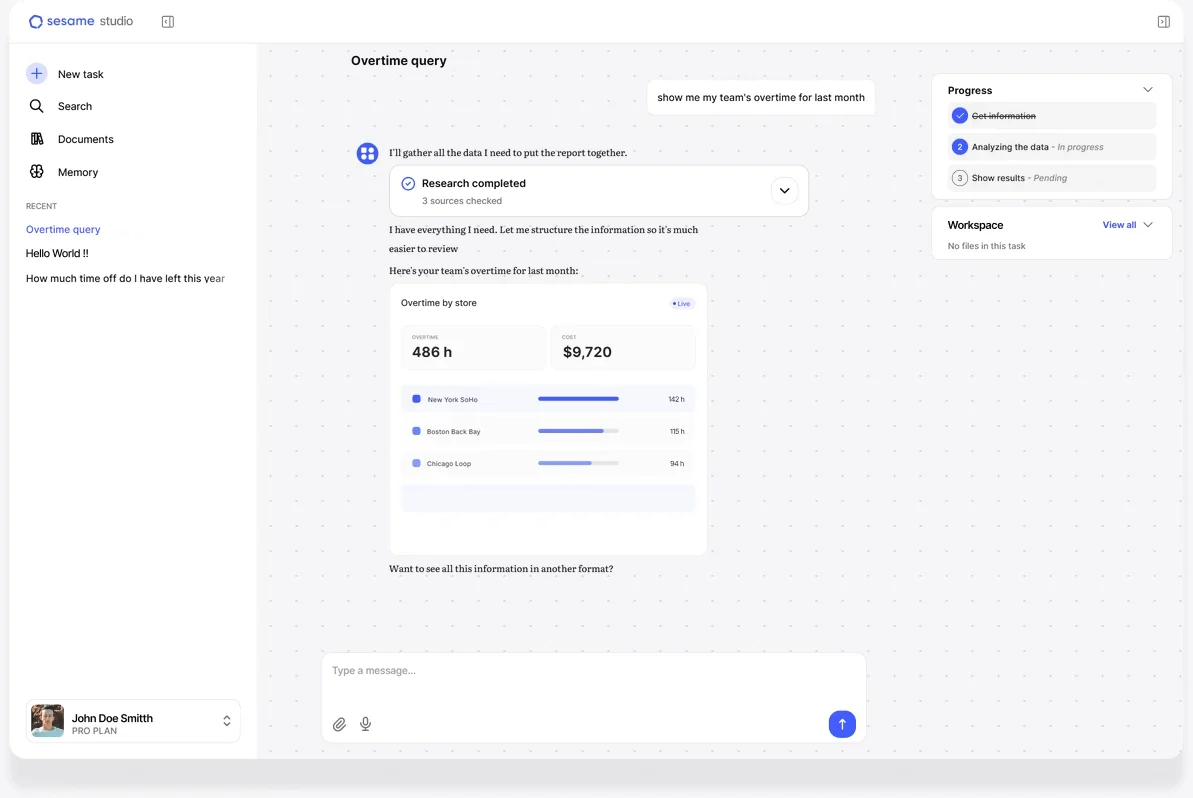
Sesame Studio building an overtime-by-store app from a written request

Every day, your team feeds Sesame with clock ins/outs, expenses, and holidays. That history is your company’s most valuable asset, and no AI can make it up. With Studio, at last, Sesame works for you.

Studio by the numbers

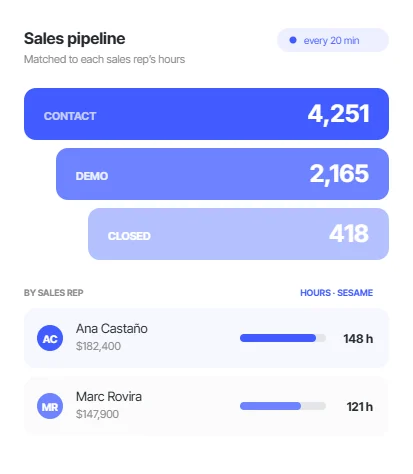
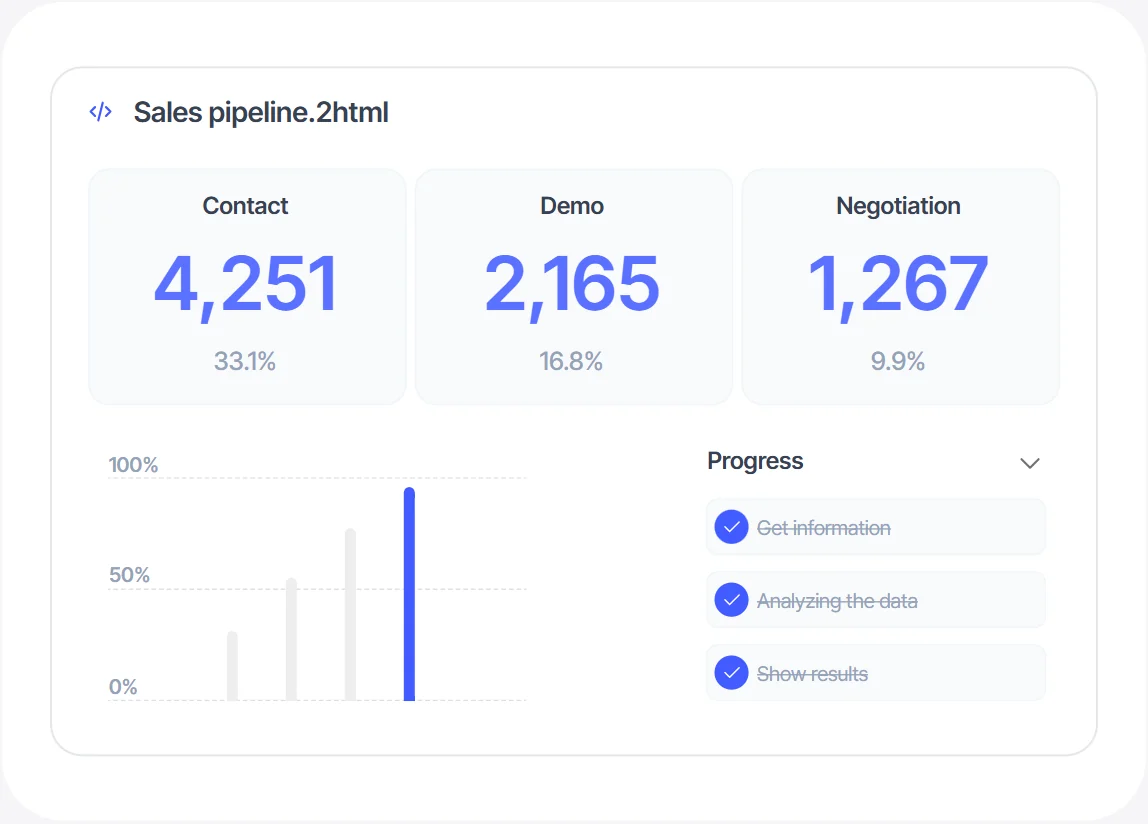
Pipeline dashboard generated with Studio

17 dashboards.

In-depth analytics dashboards ready to clone.
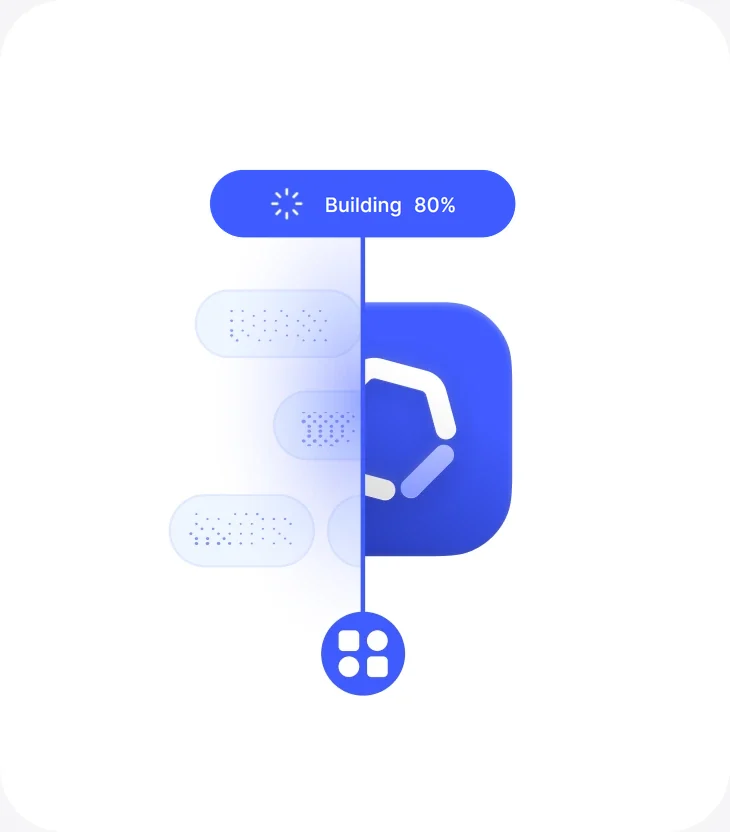
Studio building an app

30 seconds.

From a single sentence to a deployed, working app.
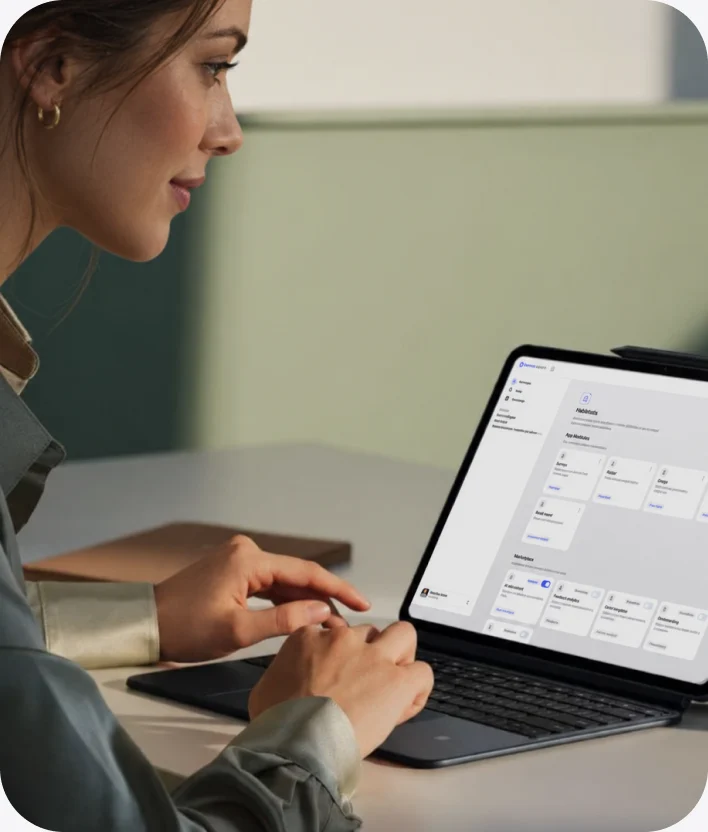
Person working with Studio on a laptop

1 minute.

To get your own version of any template.

Person checking data on their phone

No limits.

Endless apps, without writing a single line of code.

What teams are already
building with Studio

Real ideas, built through conversation. Each one can be cloned as a starting point.
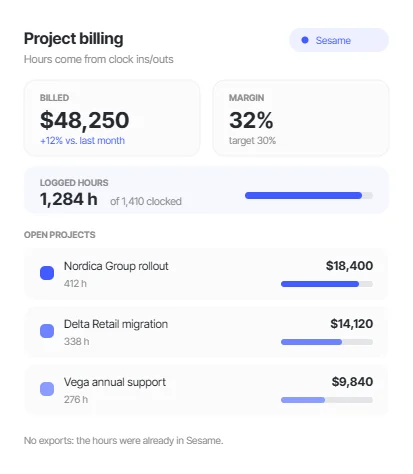
Finance and operations

01 of 06

An ERP connected to real hours

Finance and operations

Accounts, invoices, budgets, and projects in a single app. Hours come straight from Sesame clock ins/outs, with no exports.

  • “I need to keep track of billing, budgets, and hours for every project.”
1 / 6
Project billing ERP built with Sesame Studio, with hours logged from clock ins/outs
Leadership / CEO 1/3

Your ideas, turned into tools in minutes

With the security your company demands, and without depending on anyone. Ask for the view you need for the board meeting and bring it live, not as a screenshot.
Personnel costs by workplace, answered in Sesame Studio

HOW IT WORKS

Ask for it. Build it. Reuse it.

01.

“I need to keep track of billing, budgets, and hours for every project.”

Product notes

Notion

Costs by workplace

Excel

Process map

Miro

Executive committee

PowerPoint

Remote work policy

Word

Time tracking API

Repository

Quarterly OKRs

Notion

Ask the way you’d ask a teammate

Describe what you need in your own words. Even if the idea is fuzzy, Studio gets it.
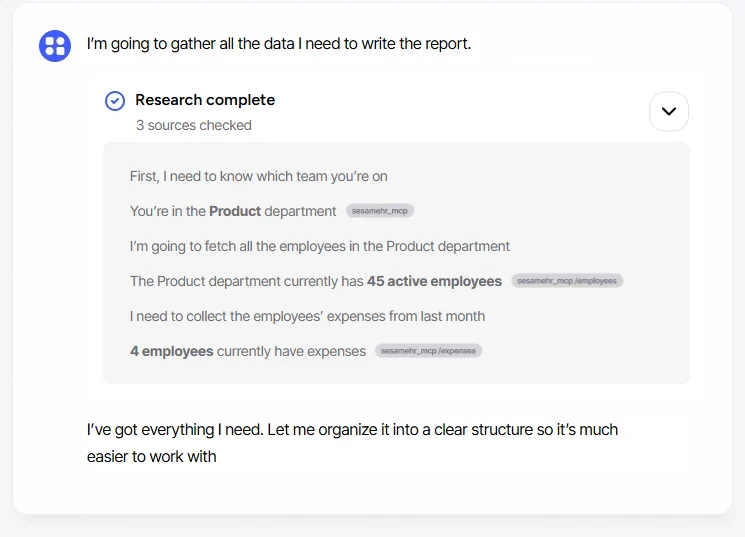
  • No commands or special syntax.
  • No tech know-how needed.
  • The person who needs it asks for it, not the person who can code.
Studio structuring the app’s data and screens

02.

Studio structures it

It turns your idea into a clear plan: which data it uses, which screens it has, and who can see what.
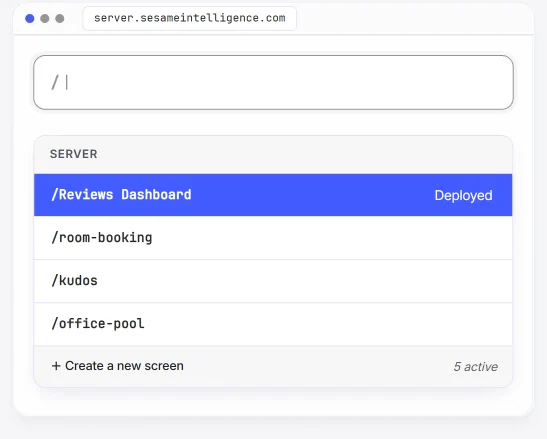
  • What data goes in: clock ins/outs, projects, clients, invoices.
  • Which screens are needed and how they connect.
  • Who sees what, based on each person’s role.
Deployment checklist being checked off: server, database, Sesame connection, and publishing

03.

It gets built and deployed

It reserves a server, builds the app with its own database, and connects it to Sesame. You can follow the progress step by step.
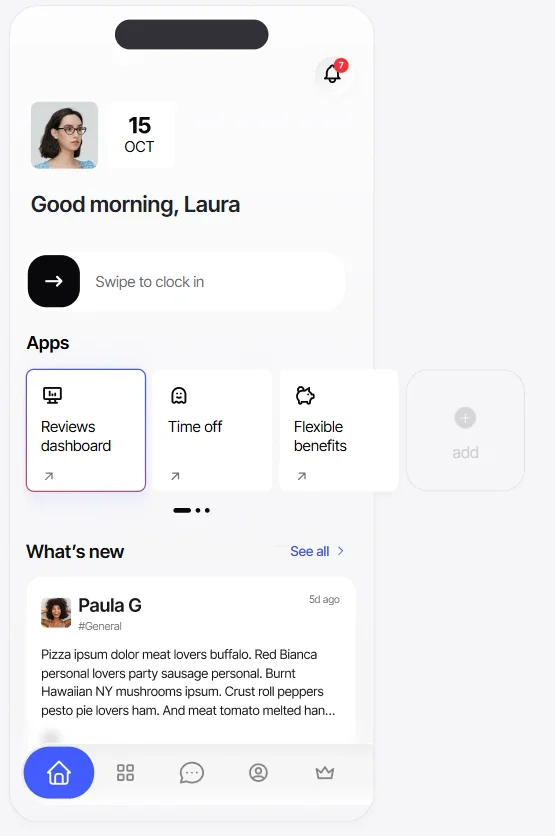
  • A dedicated database, created for your app.
  • Connected to the Sesame API, with inherited permissions.
  • About 30 seconds from a single sentence to deployment.
The Sesame menu with the newly published app as just another item

04.

Publish it and it’s live instantly

The app becomes just another Sesame tab for whoever you choose.
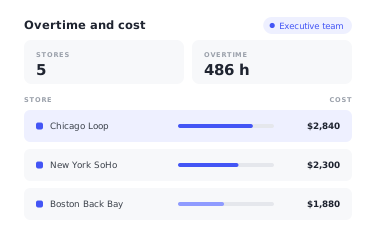
  • Visible to the whole company or to a specific group.
  • Share, iterate, and add notifications whenever you like.
  • It shows up in your people’s menu with nothing to install.

Everything you build in Studio respects the roles and access you already have in Sesame. The same app. Everyone sees only what’s theirs.

The overtime app as seen by the executive team: all five stores, with their hours and cost

Executive team

Sees the whole company: all five stores, their overtime, and its cost.
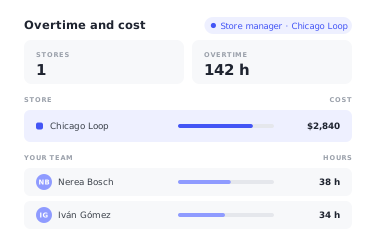
The same app as seen by the store manager: only their store and their team

Store manager

The same app, but only with their store. The rest doesn’t even show up.
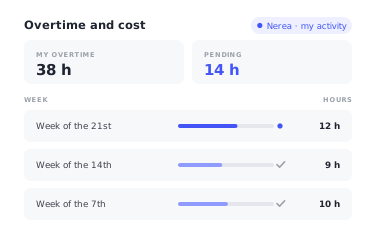
The same app as seen by a team member: only their hours, week by week

Team member

Only their own data. No permissions to set up: they’re inherited from Sesame.

Every company,
its own apps. No limits

Every team and every idea in a new app, no limits

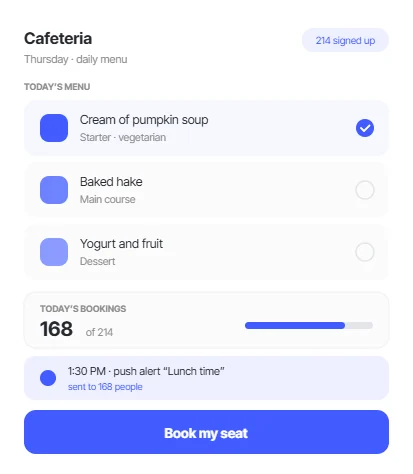
An app to book a seat in the cafeteria
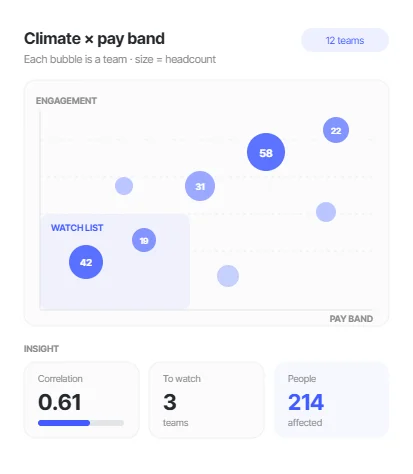
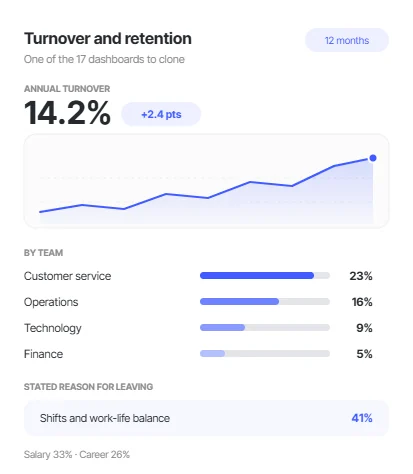
A turnover dashboard by workplace

From requesting a custom build to building it yourself:

Until now

  • Months of waitingYou file a request with Product and wait. If your company is small, it may never come.
  • Digging through menus for one metricThe metric you need is somewhere, spread across screens that don’t talk to each other.
  • Exporting to Excel for the board meetingYou show up with a screenshot from three days ago that no longer reflects what’s happening today.

With Sesame Studio

  • MinutesYou describe it and it’s up and running. For any company, whatever its size.
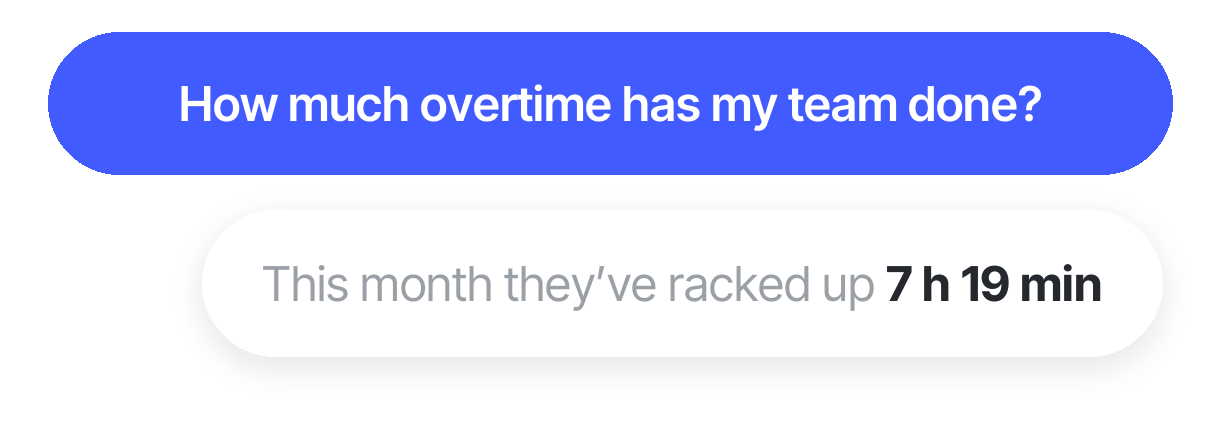
  • Ask your dataYou ask for what you need in your own words, and the view builds itself around the question.
  • A live dashboardYou bring the board something that updates itself, not an image pasted into a slide.
Sesame Studio permission dialog requesting read-only access to team data

You decide what it can see.
And when

Sesame Studio asks for your permission every time it needs access to something new. You decide. Every access is logged, and every permission can be revoked with one click.

  • Explicit access.

    You authorize every connection. Never by default.
  • Revocable with one click.

    Remove access whenever you want and the connection is cut off instantly.
  • Every access is logged.

    An auditable log your legal team can review at any time.
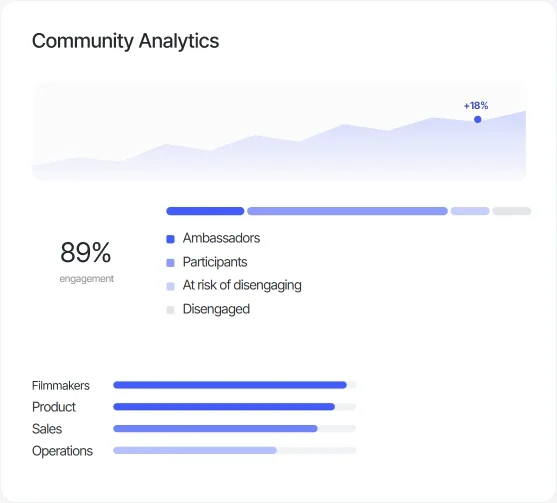
Sesame Studio community analytics dashboard

From data to decision,
without getting lost in menus

Turnover, expenses, salaries, community. Seventeen in-depth analytics dashboards, ready to go. Clone any of them, ask whatever you need, and take it to the board meeting.

  • Turnover and retention.

    Who’s leaving, from which teams, and why.

  • Expenses and allowances.

    Where the money goes, by workplace and by person.

  • Salaries and pay bands.

    Pay equity and gaps between teams, ready to defend.
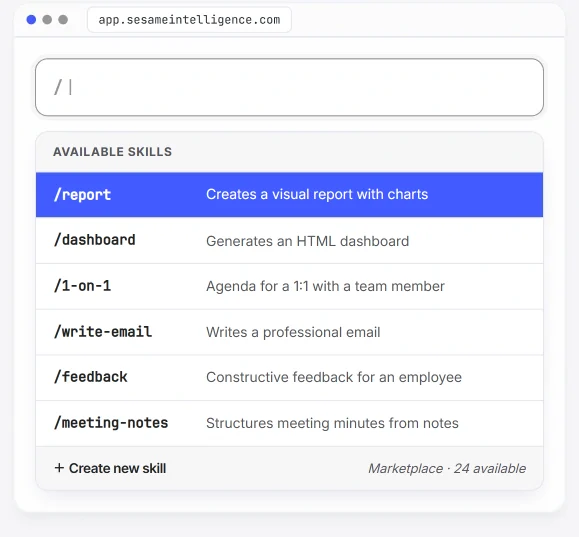
Sesame Studio skills palette with the shortcuts your team saves and reuses

Your team’s expert,
multiplied by 10

Your team’s go-to person fine-tunes the perfect formula for a task and saves it as a shortcut. Everyone else calls it up with a slash and gets the same great result. No meetings, no manuals, and no “send me the prompt.”

  • Custom commands.

    Turn a useful prompt into a reusable command. Your whole organization gains consistency.
  • Internal marketplace.

    Skills shared by your team and the community. Install them, tweak them, or copy them for your department.
  • Capitalize on knowledge.

    The “how did we do this again?” no longer lives in one person’s head. It’s saved, tagged, and available.
Try it freeTry it free
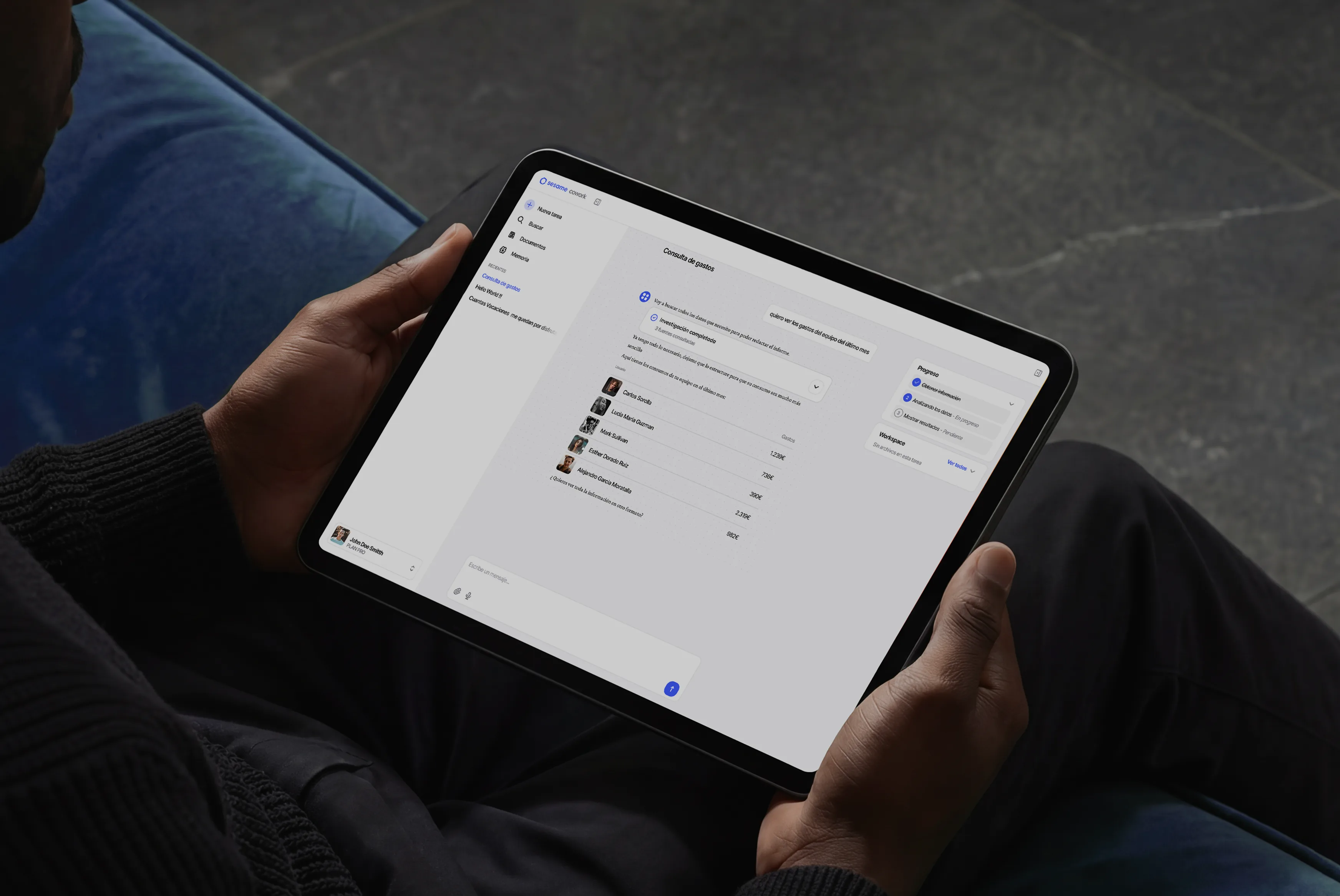
Person using Sesame Studio on a tablet

What about when you want
to go further?

Do you have the team report yet?

9:13 AM

Yes. I asked Studio and had it in three minutes.

9:13 AM

What if someone wants to look at it on their own?

9:13 AM

That’s what Intelligence is for: they ask, and it answers with their data.

9:13 AM

Build your company’s future, instantly.

We’ll show you Studio with a real case from your company.
You bring the idea, and we’ll build it together in the demo.

We’ve got answers to your questions about Sesame Studio

  • Real apps and dashboards, with their own database and connected to your company’s real data in Sesame. They’re not mockups or static reports: the app is deployed to a server and shows up as just another tab in Sesame for whoever you choose.

  • No. You describe it in your own words, the way you’d ask a teammate, and Studio takes care of the rest.

  • About 30 seconds from a single sentence to deployment.

  • The whole company or a specific group: you decide. Everyone sees only what’s theirs, because it inherits the roles and access you have in Sesame.

  • Yes. The ideas teams are already building with Studio can be cloned as a starting point.

  • Yes. You can start from documents and files in Notion, Excel, Miro, PowerPoint, Word, or a repository.